West Bengal Annapurna Yojana registration process is done through the official government portals. Eligible applicants are requested to fill in their details carefully and submit the required documents. Submitting an application does not guarantee approval. The applications are reviewed by the concerned authorities before a decision is taken.
Annapurna Yojana Registration Process
| Step | What You Need to Do |
|---|---|
| Step 1 | Go to the official portal of Social Registry West Bengal or the Social Security Portal |
| Step 2 | Choose your district and put in your mobile number |
| Step 3 | OTP on your Mobile Number to verify your identity |
| Step 4 | Enter your Swasthya Sathi Card details (if asked by the system) |
| Step 5 | Fill in the Family-Based Data Collection Form |
| Step 6 | Complete the Family-Based Data Collection Form |
| Step 7 | Submit the required documents |
| Step 8 | Review all the details carefully and submit the form |
| Step 9 | Save/Print Application Reference ID for future reference |
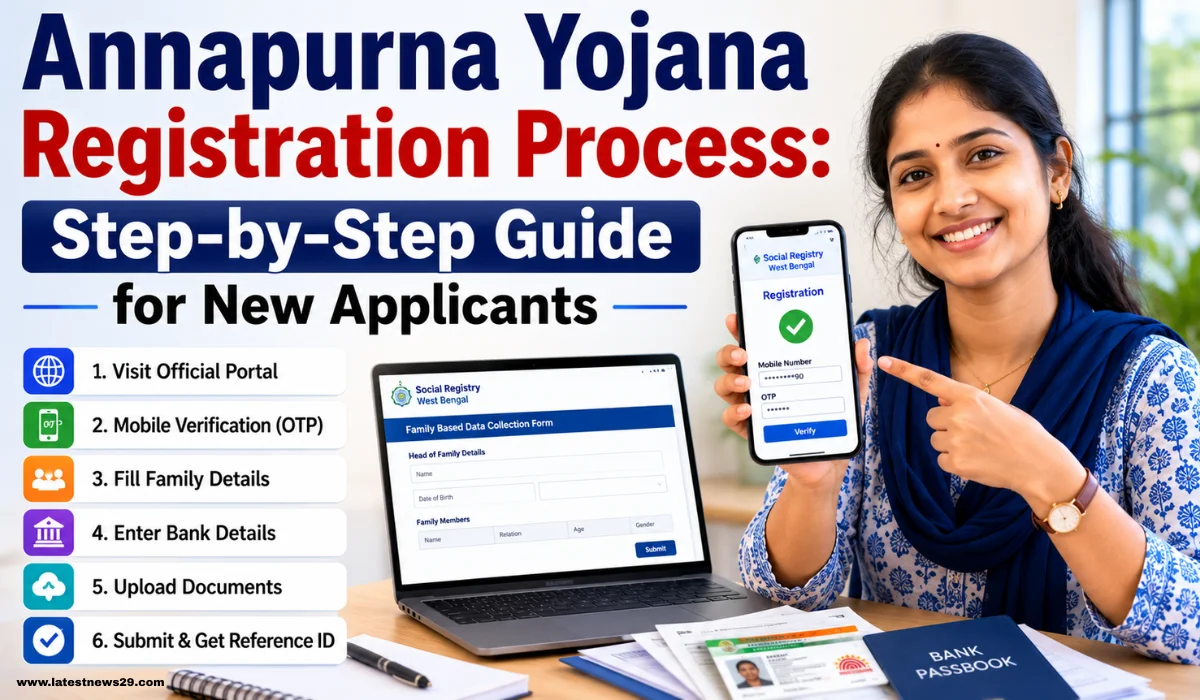
How to Register Online
Follow these steps carefully:
Step 1: Open the Official Portal
- Visit the Official Portal of Registration, Government of West Bengal.
- Select the appropriate family data collection service or social welfare registration.
Step 2: Complete Mobile Verification
- Pick your district.
- Enter your live mobile number.
- Get the OTP on your phone.
- Please enter the OTP to proceed.
Step 3: Identity Verification
- The system may ask you for your Swasthya Sathi Card number.
- Please fill in the details correctly to verify.
Step 4: Fill in Family Information
- To enter details of the Head of Family.
- Add details for all family members.
- Please check the spelling and details carefully.
Step 5: Enter Bank Details
- Kindly provide your bank account number.
- Enter the valid IFSC code.
- Confirm that the bank account is active.
Step 6: Upload Documents
- Kindly send clear copies of the required documents.
- In general, documents should be in.jpg or.pdf format.
- Ensure that the file size is within the limit mentioned on the portal.
Step 7: Final Submission
- Please check all information before you submit.
- Click on the “Submit” button
- Please make a note of the successfully submitted Application Reference ID.
- Save this number for tracking your status later.
Documents Required for Registration
The following documents may be required during the registration process:
| Document | Purpose |
| Swasthya Sathi Card | Identity and family verification |
| Aadhaar Card | Personal identification |
| Voter ID Card (EPIC) | Proof of identity |
| Bank Passbook | Verification of bank account details |
| Passport-size Photograph | Applicant photograph |
| Caste Certificate (if applicable) | Category-related verification |
Important Points to Remember
- Use an active mobile number for OTP verification.
- Enter all information exactly as shown in your official documents.
- Ensure bank account details are correct.
- Upload clear and readable documents.
- Keep the Application Reference ID safely after submission.
- Submission of an application does not guarantee selection, approval, or receipt of benefits.
- Verification and approval are subject to the rules and procedures of the concerned government authorities.
Frequently Asked Questions (FAQs)
From where can I register for Annapurna Yojana?
Interested candidates can register themselves through the official government portals for social welfare and family data collection.
Is OTP verification compulsory?
Yes, normally the applicants have to verify their mobile number via OTP.
What is the significance of the Application Reference ID?
The Reference ID helps applicants to check their application status in the future.